Geometry nodes: Sampling curves
Sampling curves with Geometry nodes seems like a simple thing to do, but I've found a few occasions where things don't behave quite how I'd expect.
(Open images in a new tab to view full size!)
There are two main nodes to use, and some patterns I've discovered.
Sample Index
The Sample Index node can be used in the context of curve points to get one value from one control point, specified by some index.
The limitations are that you can't sample at interpolated points between control points1, and that it's limited to sampling one value at a time2.
Sampling one control point
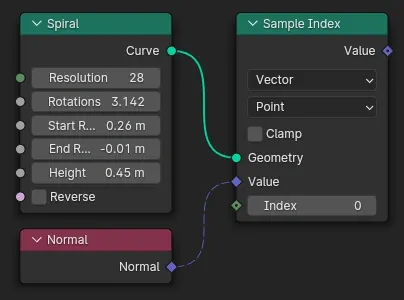
Sampling one control point for one attribute is what the Sample Index node does in its simplest case, e.g. the normal of the first point:
Sampling at every control point
By connecting a geometry read Index node to the index input of Sample Index, with the domain set to Point, it will sample every point in the curve:
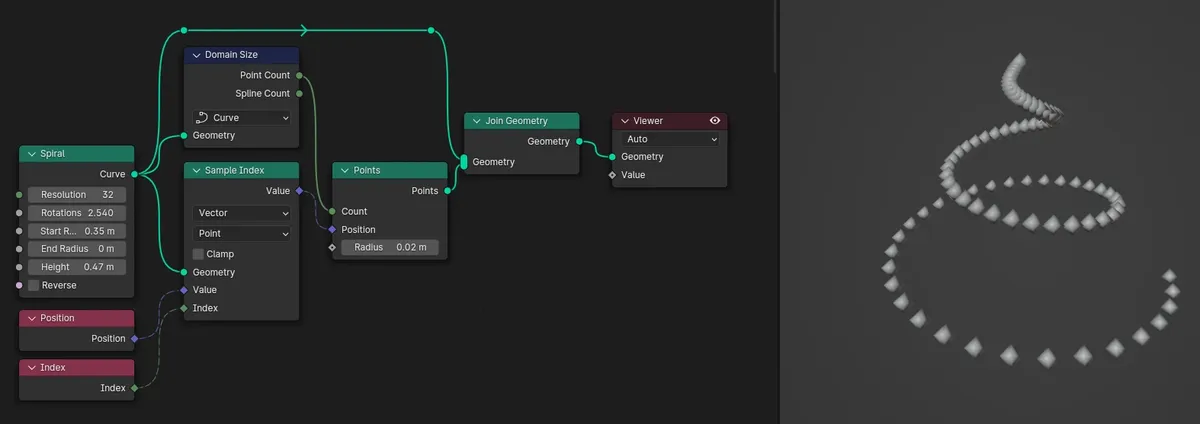
Here the output is used to set the position of points in a pointcloud that is sized to the number of control points. (This is an academic example: a simpler way to achieve this is just Curve to Points.)
Sample Curve
This can sample 3 major attributes of a control point plus one other, at a specific position in the curve. That can include interpolated positions between control points. But if the node is used to sample every point, we seem to be limited to control points again...
Sampling at a position
Plug in a curve and set the Factor between 0.0 and 1.0, or set a Length from the start. Attributes other than the position are linearly interpolated between control points, but the position itself is interpolated according to the curve's interpolation type.
Sampling everything everywhere
I commonly want to sample some combination of position, normal & tangent with some other attribute for every point on the curve. There's a Spline parameter read node with factor and length fields, so plug that in to a Sample Curve and done, right? Not so fast...
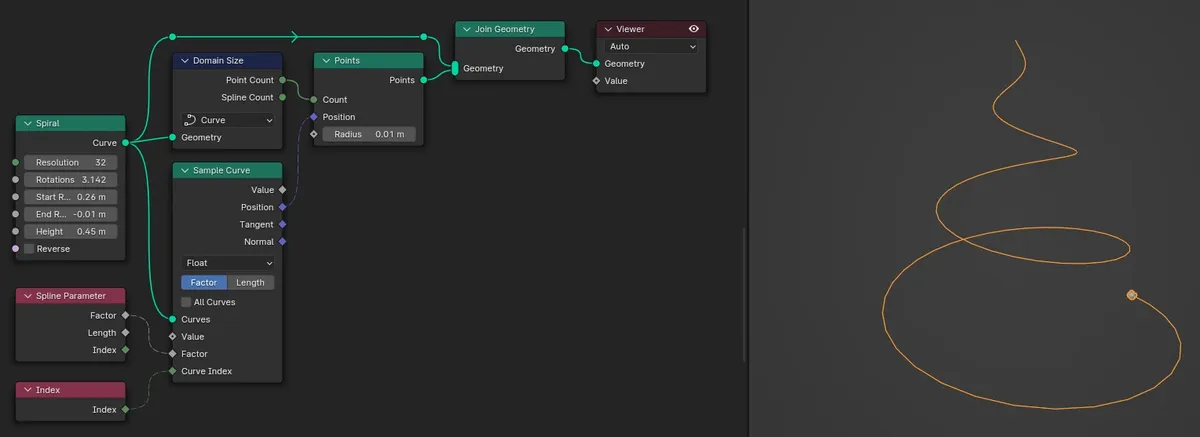
All the points are squashed together at the start! There's a few things that were not obvious to me about why this setup does not work.
- Sample Curve does not have its own evaluation context (edge, point, spline etc.)
- Spline Parameter thus isn't necessarily being evaluated in the context of a curve point.
- Spline Parameter's index field is the index of a point within its spline, it's not the index of splines within the curve. Don't connect it to the Curve Index input! Use a regular Index node there, if needed.
So the above fails, I believe, because the Spline Parameter isn't evaluated in the context of Points, where the position it contributes to is being used. The solution is a little counter-intuitive at first: Ensure that factor is being evaluated for a point.
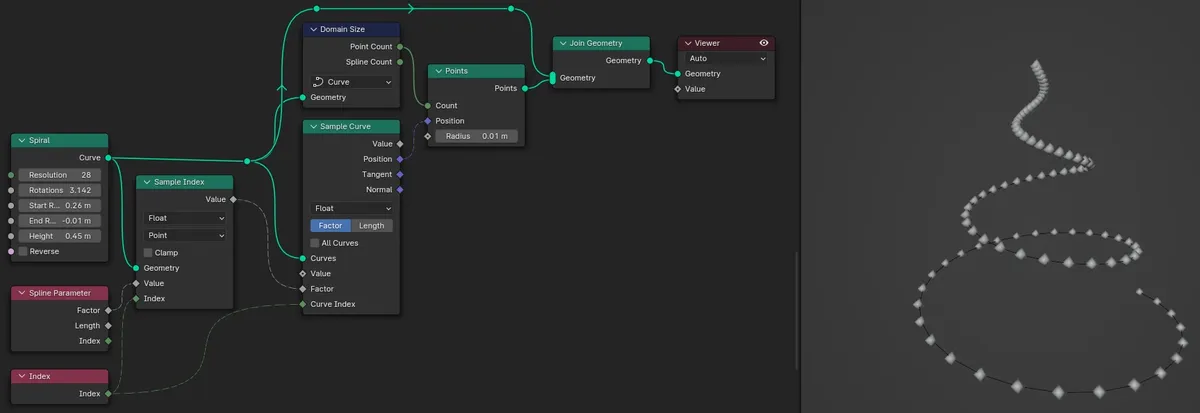
N.b. the same Index node is used for both places that need one here, but it's being evaluated in two contexts: curve point index, and then curve index (I wonder if this input should really be called spline index...?).
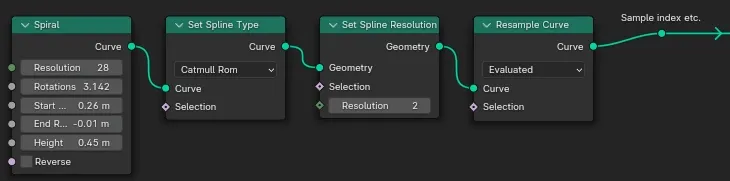
Since we're back to using Sample Index, the Spline Parameter's Factor is evaluated only for control points. To sample at the curve's evaluated resolution, we have to resample the curve first: