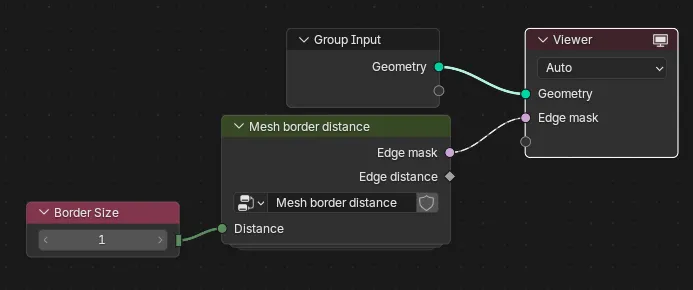
Mesh Border Distance Masking
Sometimes I want to mask faces along the boundary of a mesh: faces around openings, for example. The mask could be used for generating UV islands, exported as a texture or something else.
As always, open the images in a new tab to view full size.
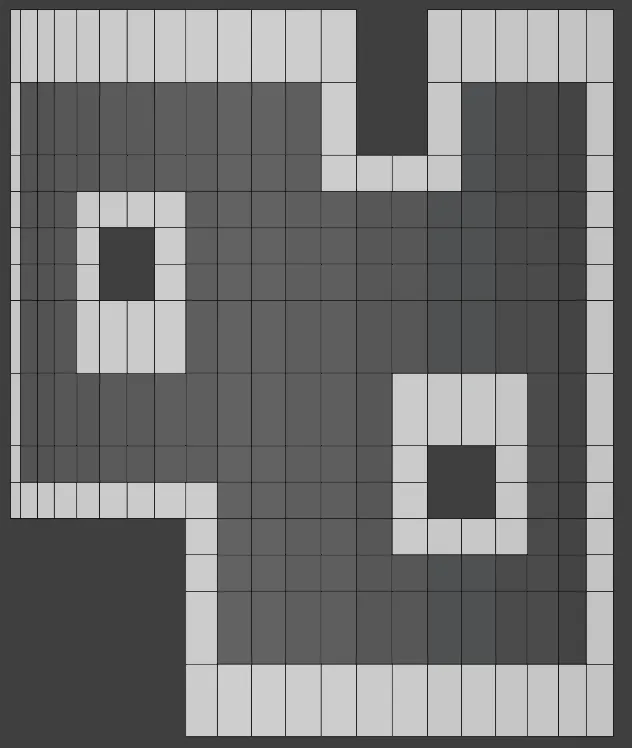
Finding Edges
The boundary of the mesh is anywhere there's an edge that only has a face on one side of it, so let's start there.
We'll find the edges, edge vertices, and then the distance from any vertex to the nearest edge vertex (distance measured in unit hops, not physical distance).
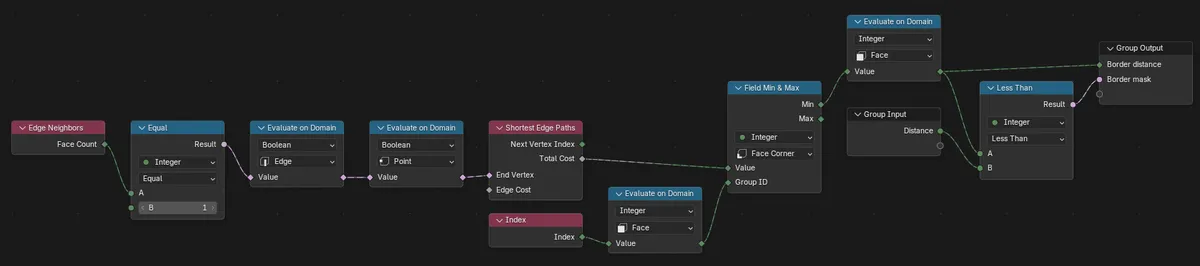
Edge Neighbors node's Face Count -> Equal 1 identifies edges at the boundary.
Evaluate on Domain Edge followed by Point will give us True for vertices along any boundary edge. (Without the Edge evaluation we appear to get True only for vertices where all edges are adjacent only to one face.)
This gives us a boolean field for selecting edges or vertices along the boundary depending which domain we take the output from:
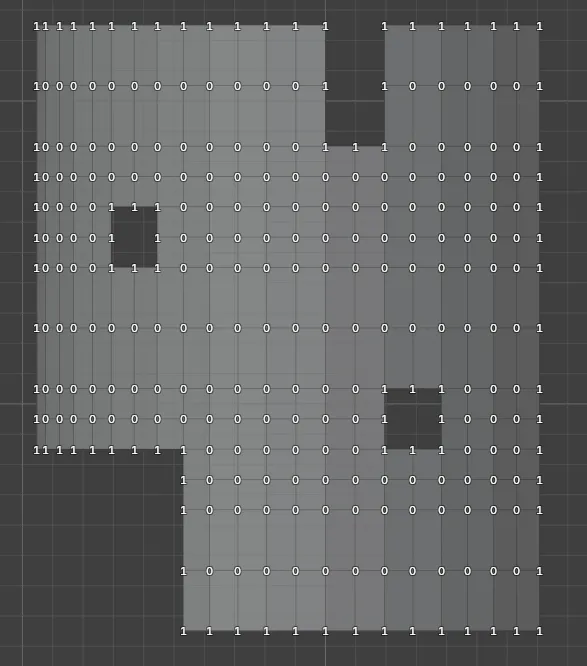
Note that we are working with fields here, so we don't know what the geometry is yet; there is no Geometry input to this node group! We are essentially building a function that can read these things later when it's evaluated in some context with geometry. That continues throughout the rest of this tool.
Distance to Boundary
Shortest Edge Paths Total cost outputs the cost to reach any vertex selected by End Vertex, from any other vertex. We plug in our boundary vertex selection as End Vertex (it's a diamond shaped i.e. multi-valued property in spite of its name), and this node outputs us a cost in hops from any vertex to the nearest boundary vertex. At the boundary, this cost is zero.
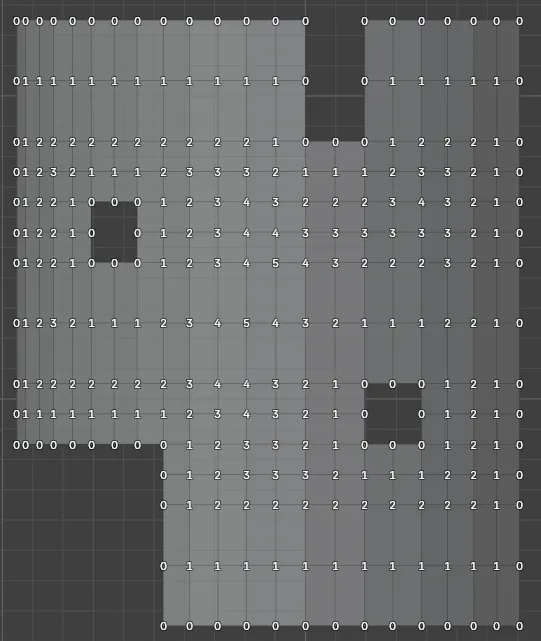
From Vertex Distance to Face Distance
At the moment we can know the distance from any vertex to the boundary, but we want the distance in terms of faces. To get there we'll hop from distances at each vertex to distances at each face corner, and then determine the distance for the whole face from its corner distances.
While face corners are mostly relevant to UV layouts, allowing a vertex to exist in multiple islands (one per corner), they prove useful here as a stepping stone 'inwards' from the vertex towards the face.
Index->Evaluate on DomainFacelets us read a face index from some other context.Field Min & Maxis doing two things.- It is evaluating in
Face Cornercontext meaning our per-vertex distance values will be evaluated at each face corner the vertex is part of. Since each corner has one vertex, the corner value will have the same value. - It evaluates the min/max values of the input - the cost - for each face corner, grouped by the
Group ID. Here, we use the faceIndex, so in other words, we capture the minimum cost from all the corners in each face.
- It is evaluating in
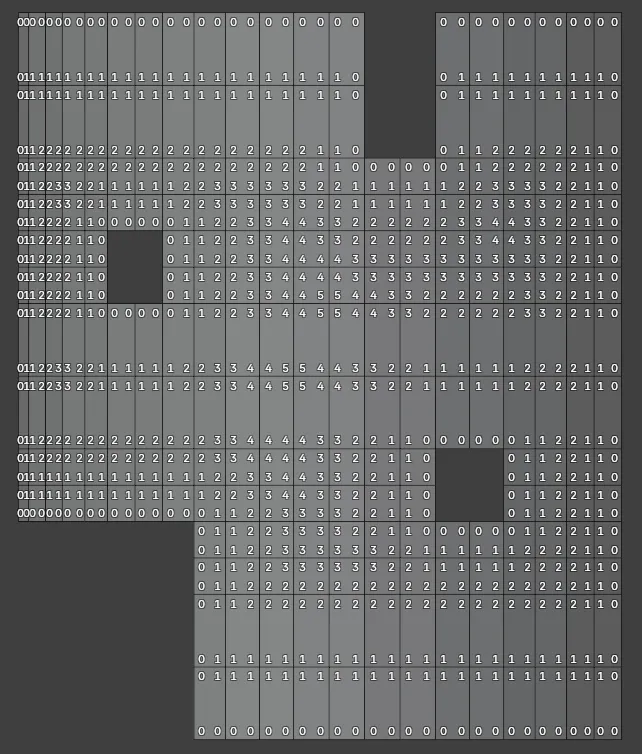
The border-distance for the whole face will just be the minimum of its corner distances, same as the minimum of its vertex distances.
The Group ID being the face Index is necessary to prevent taking the minimum corner distance for the whole geometry or, if Index was plugged in directly, each corner's single value.
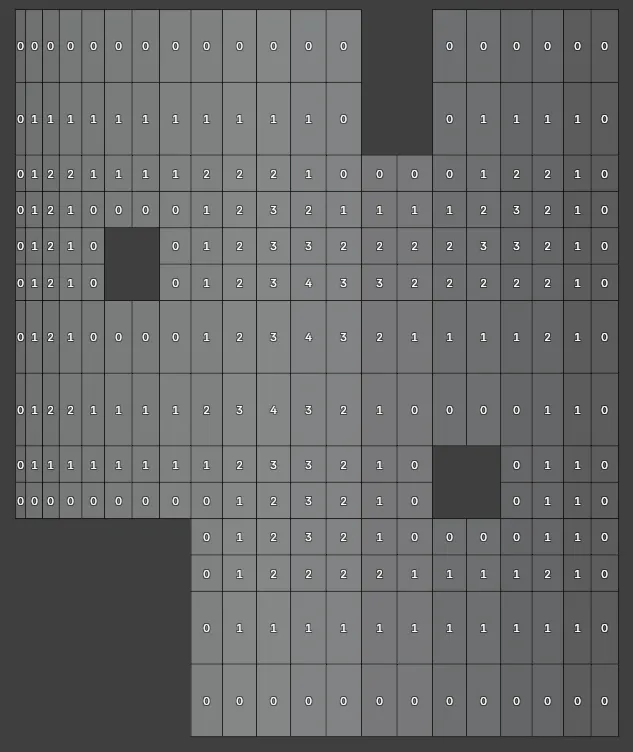
Input, Output and Usage
The group's only input is the Distance, in faces, which sets the size of the mask in faces-from-the-edge.
The outputs are the mask selection and the distance for each face. The mask selection is simply the face distance compared to the input distance at the Less Than node.
The final Evaluate on Domain Face before the Group Output ensures that we output and derive the mask from face distances regardless of the evaluation context.